Varyos on every device
Use Varyos on the go or as a native desktop app – for an even faster and more focused working experience.
Varyos Mobile
The mobile version of Varyos is live as a web app preview – usable on the go right now. Native apps for iOS and Android are already in development.
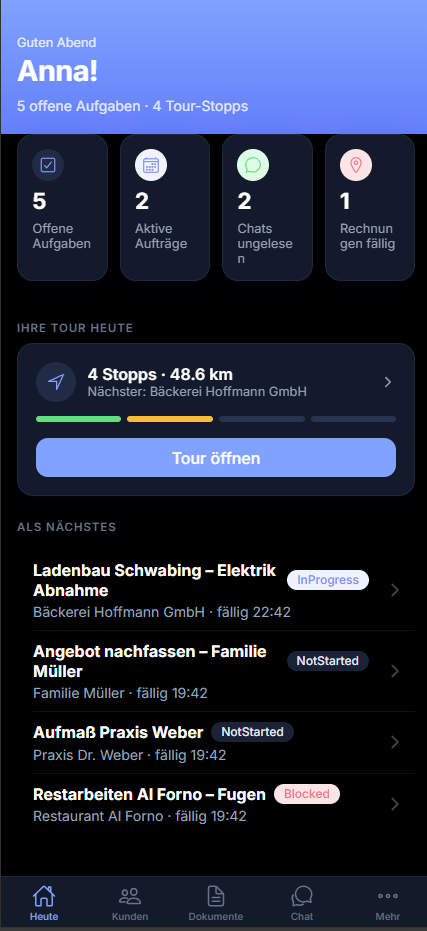
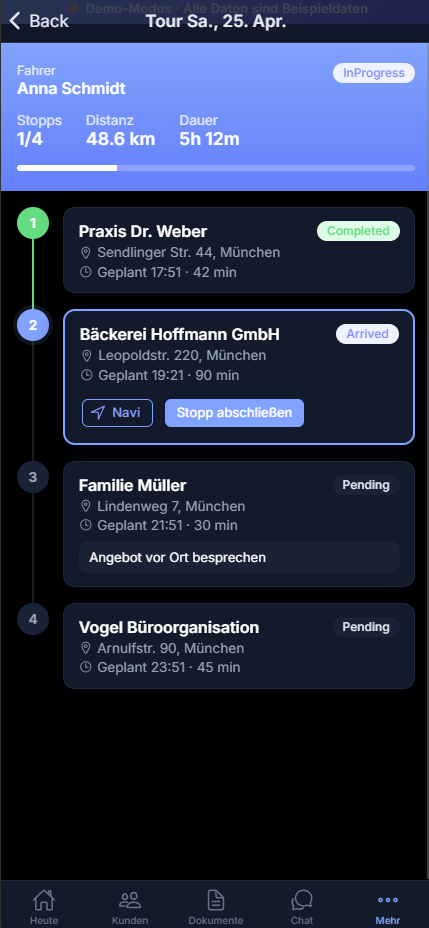
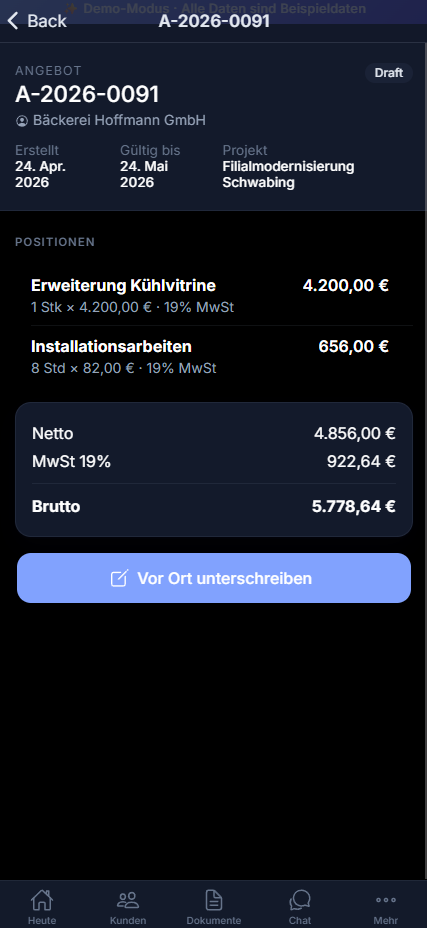
Open directly in the browser
Open live previewOpen on your smartphone
Native apps
Touch-optimized
User interface designed specifically for smartphones – large touch targets and gesture-based navigation.
Push notifications
Stay informed about new messages, tasks and appointments – even on the go.
Quick access on the go
Calendar, contacts and tasks at a glance – perfect for a quick check in between.
In sync with the cloud
Seamless synchronization with the browser and desktop versions – always up to date.
Windows
Windows 10 (version 1809) or later
64-bit processor
4 GB RAM recommended
macOS
macOS 11 Big Sur or later
Apple Silicon processor (M1, M2, M3, M4)
4 GB RAM recommended
macOS
macOS 10.15 Catalina or later
Intel 64-bit processor
4 GB RAM recommended
How the desktop app works
Cloud connection
The app connects securely to your Varyos account in the cloud. Your data always stays in sync.
Native window
Work in a standalone window without browser distractions such as tabs, bookmarks or extensions.
Quick start
Launch Varyos directly from the desktop, the taskbar or the dock – one click is enough.
Secure & lean
No local data storage, no background processes. The app uses modern web technology in a lean shell.
System notifications
Receive desktop notifications for important events such as new messages or tasks.
Full-screen mode
Use the entire screen for maximum productivity – ideal for large data tables or documents.
Good to know
The desktop app offers the same features as the browser version. In addition, printing can be controlled better here. Browser-based programs often have significant limitations. With Varyos Desktop you get around these and can use any printer and any format. Extensive scanner support is available exclusively in the desktop app.
Another difference: you work in a focused environment without browser overhead. The technology is based on a modern, lean framework that conserves your system resources – unlike resource-hungry alternatives.
Don't want to download?
Use Varyos directly in the browser at varyos.app
Installation
Windows: Run the downloaded setup file. The app installs without administrator rights, creates a Start menu shortcut and then keeps itself up to date automatically. Because our publisher certificate is still new, a SmartScreen message may briefly appear on first launch – click “More info” and then “Run anyway”.
macOS: Unzip the ZIP file and open the app with a right-click → “Open” if a security warning appears.
Choose base product
All prices plus VAT. Save two monthly installments when paying annually. No mandatory setup fee.
Try free for 14 days – no credit card required.